GA4 · Safety Gear Online
Safety Gear Online Magento Tracking: GA4 and GTM
Magento GA4 and GTM tracking with purchase value, add-to-cart events, checkout events and remarketing audiences.
Purchase value, cart and checkout tracking configured
USA
Safety Gear Online
eCommerce
Magento
GA4 + GTM Tracking
Outcome
Purchase value, cart and checkout tracking configured
Deliverables
- Magento eCommerce events to GA4 via GTM
- Purchase tracking with order values
- Add-to-cart and begin checkout events
- Form submission and phone click interaction tracking
- GA4 audiences for remarketing and behavior segmentation
What Tracking Problem Did Safety Gear Online Have?
Safety Gear Online needed Magento eCommerce tracking that connected product activity, cart actions, checkout steps and purchase values to GA4 through Google Tag Manager.
What Tracking Setup Was Implemented?
The setup connected Magento event data to GA4 through Google Tag Manager with separate tags and triggers for product views, cart actions, checkout events, purchases and contact interactions.
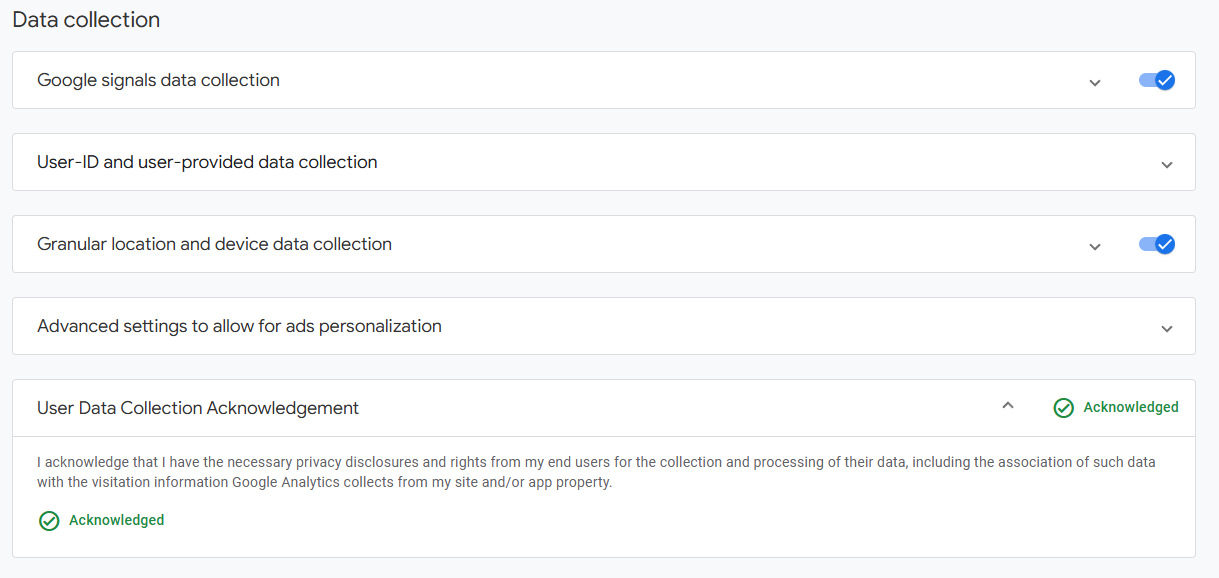
The implementation also configured user-provided data collection, Google Signals, remarketing audiences and GA4 dashboard navigation for easier reporting access.
Which GA4 eCommerce Events Were Configured?
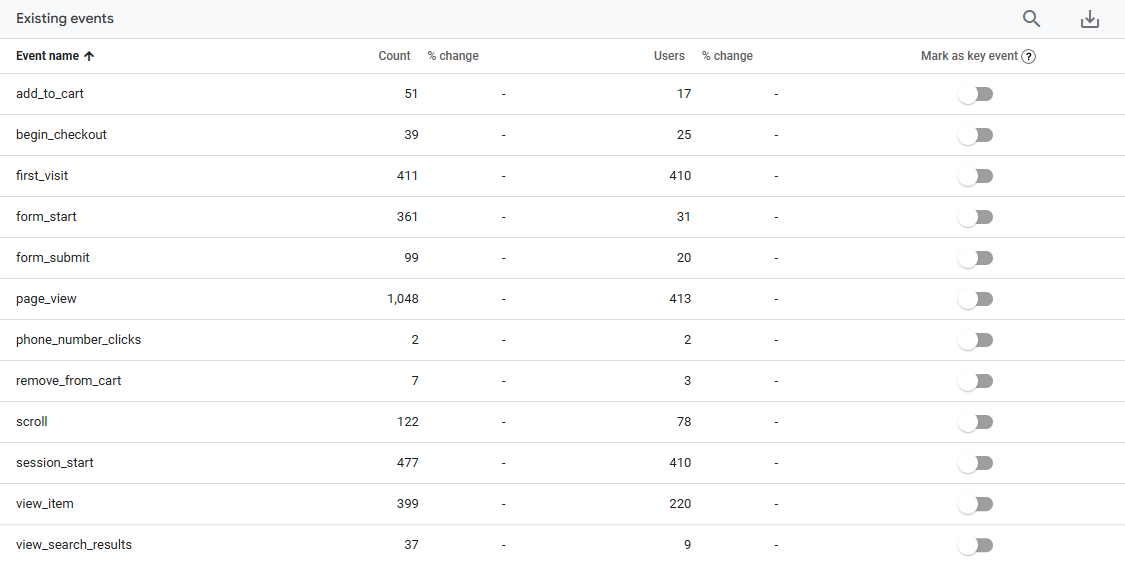
GA4 eCommerce tracking measured product discovery, cart movement, checkout intent and completed purchase activity with purchase values attached to completed orders.
- view_item: product detail view measurement.
- add_to_cart: cart addition event.
- begin_checkout: checkout start event.
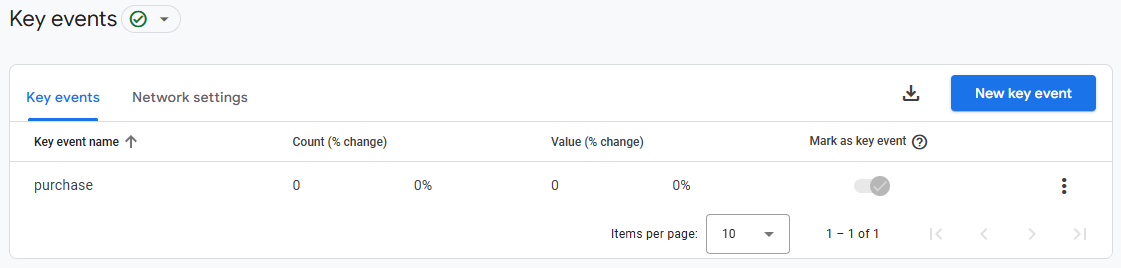
- purchase: completed order event with value.
- remove_from_cart: cart removal event.
- view_cart: cart view event.
- view_search_results: search result interaction event.
Which Supporting Events Were Tracked?
Supporting GA4 events measured form activity, phone link clicks, scroll activity, page views, sessions and user engagement across the Magento site.
- form_start: form interaction start.
- form_submit: completed form submission.
- phone_number_clicks: phone link interaction.
- page_view, scroll and session_start: standard engagement measurement.
- user_engagement: active user interaction measurement.
How Was the GA4 Dashboard Adjusted?
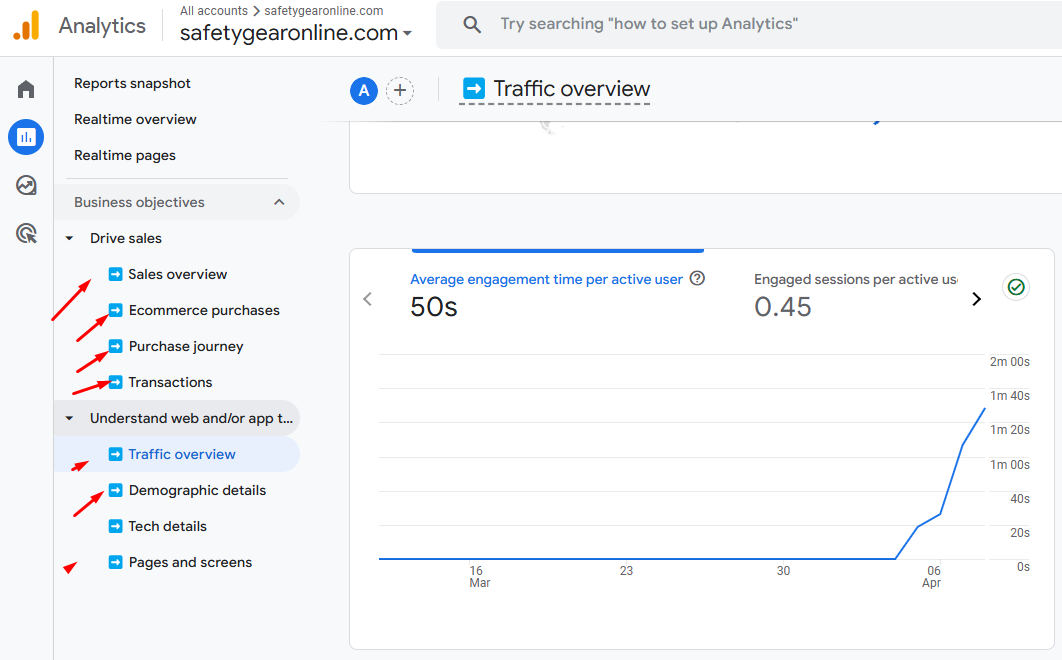
The GA4 dashboard was organized around eCommerce reporting tasks, giving the client faster access to sales, product, purchase journey, transaction and traffic reports.
- Drive sales reports grouped sales overview, eCommerce purchases, purchase journey and transactions.
- Traffic reports grouped traffic overview, demographic details, technology details and pages and screens.
- Events remained available for implementation checks and post-launch QA.
Which Remarketing Audiences Were Created?
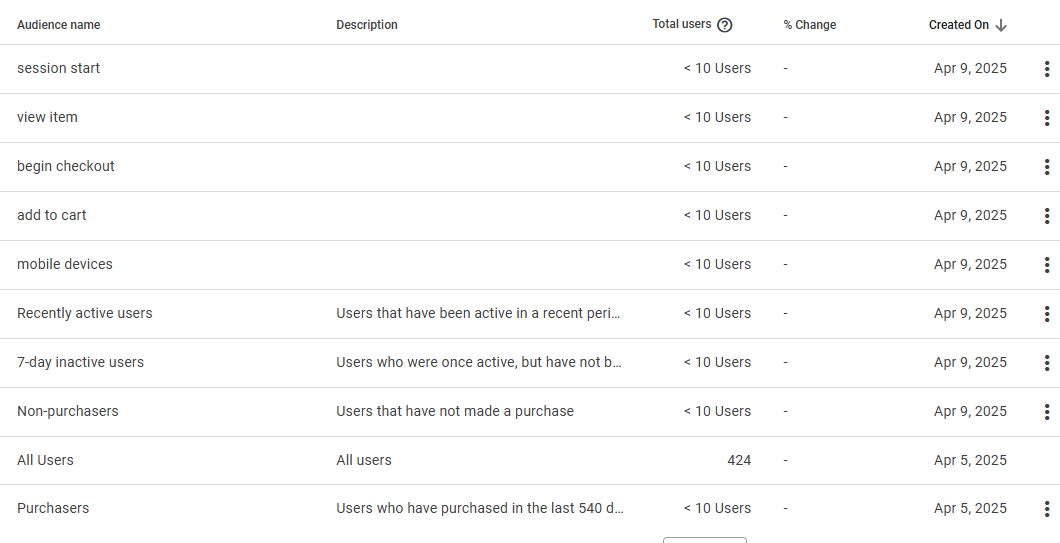
GA4 remarketing audiences were created for purchase intent, cart activity, device segmentation and recent user activity.
- Session start audience.
- View item audience.
- Begin checkout audience.
- Add to cart audience.
- Mobile devices audience.
- Recently active users audience.
- 7-day inactive users audience.
- Non-purchasers, all users and purchasers audiences.
How Was Tracking Validation Completed?
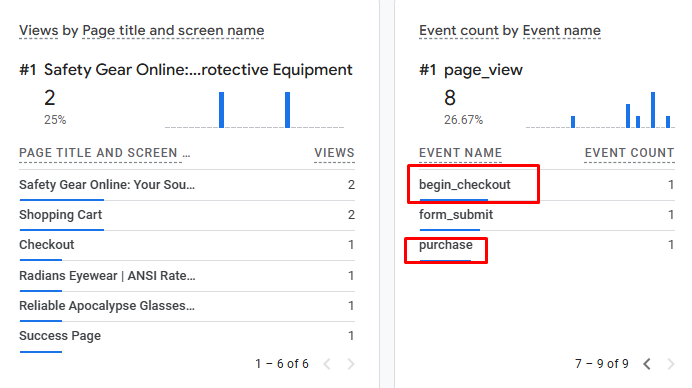
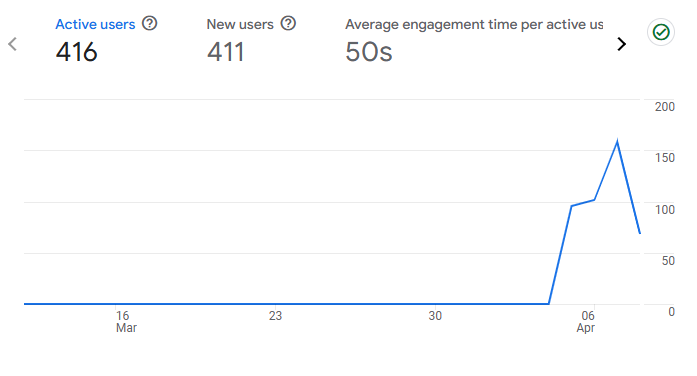
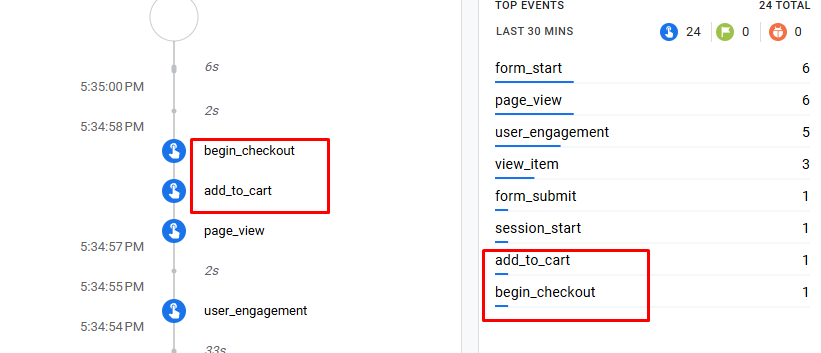
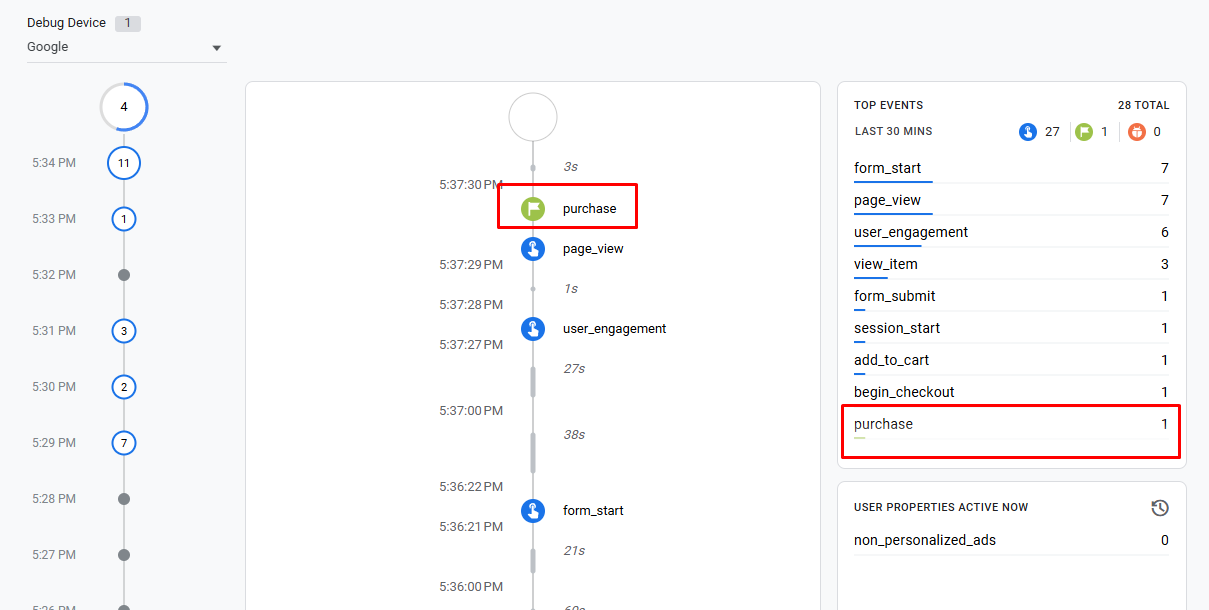
Tracking validation confirmed that GA4 collected user data, purchase events fired, add-to-cart and checkout events appeared in DebugView and event reports populated after deployment.
- GA4 active user reporting confirmed post-implementation data collection.
- DebugView confirmed add_to_cart and begin_checkout events during the test session.
- DebugView confirmed purchase event collection after checkout completion.
- Event reports showed purchase, form_submit, add_to_cart, begin_checkout and phone_number_clicks activity.
- GA4 report timing was documented because standard reports process new data over a period of up to 72 hours.
What Did the Tracking Implementation Deliver?
The implementation delivered Magento GA4 measurement, GTM event deployment, purchase value tracking, cart and checkout visibility, remarketing audiences and dashboard reporting improvements.
- Connected Magento eCommerce events to GA4 through Google Tag Manager.
- Configured purchase tracking with order values.
- Configured add-to-cart and begin checkout events.
- Added form submission and phone click interaction tracking.
- Created GA4 audiences for remarketing and behavior segmentation.
- Adjusted GA4 navigation for sales and traffic reporting.