GA4 · Vivid Metal Prints
Vivid Metal Prints Server Tracking: GA4 and CAPI
Shopify server-side tracking with GA4, Meta CAPI, Stape.io routing, purchase validation and remarketing audiences.
GA4 server-side tracking, Meta CAPI and first-party routing configured
USA
Vivid Metal Prints
Ecommerce
Shopify
Server-Side Tracking
Outcome
GA4 server-side tracking, Meta CAPI and first-party routing configured
Deliverables
- Activated a Shopify customer-pixel data layer for ecommerce behavior collection
- Web and server tag containers for controlled event routing
- Stape.io for first-party server-side tracking
- GA4 server-side tracking for ecommerce events
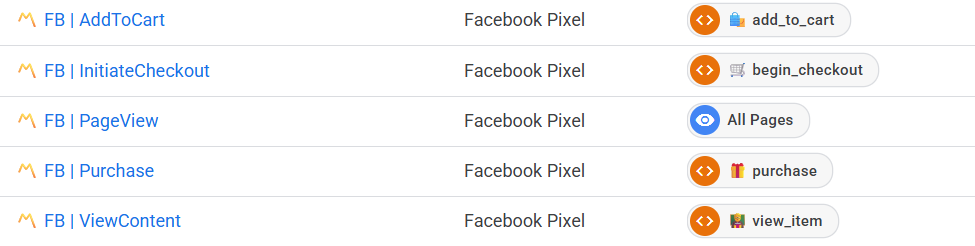
- Meta CAPI events for page view, product view, cart, checkout and purchase activity
What Tracking Problem Did Vivid Metal Prints Have?
Vivid Metal Prints required Shopify server-side tracking that collected ecommerce behavior, routed events through a first-party endpoint and improved conversion attribution across GA4 and Meta.
The measurement setup needed product, cart, checkout and purchase data from Shopify customer pixels, then central processing through Google Tag Manager and Stape.io.
What Server-Side Tracking Setup Was Implemented?
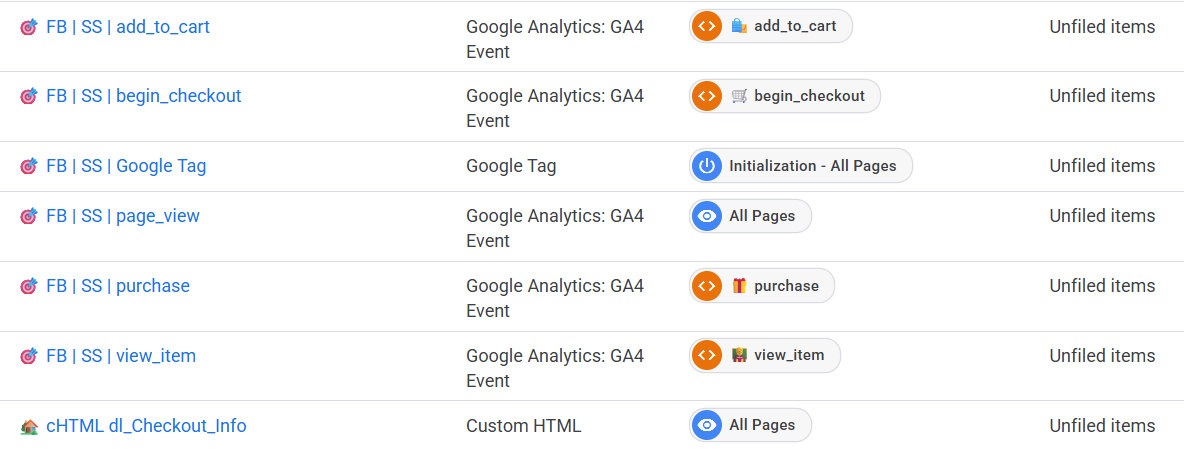
The setup used Shopify customer pixels, a web tag container, a server tag container, Stape.io routing, GA4 server-side tracking and Meta Conversions API.
The implementation routed browser events and server events through controlled tag logic so purchase, page view and product interaction signals reached the correct analytics and advertising endpoints.
How Was The Data Layer Connected?
The Shopify data layer was activated through custom customer pixel code that captured product, cart, checkout, purchase and user behavior events.
The data layer sent structured event payloads into Google Tag Manager for centralized tag deployment, trigger control and routing into both browser-side and server-side destinations.
Which GA4 Events Were Configured?
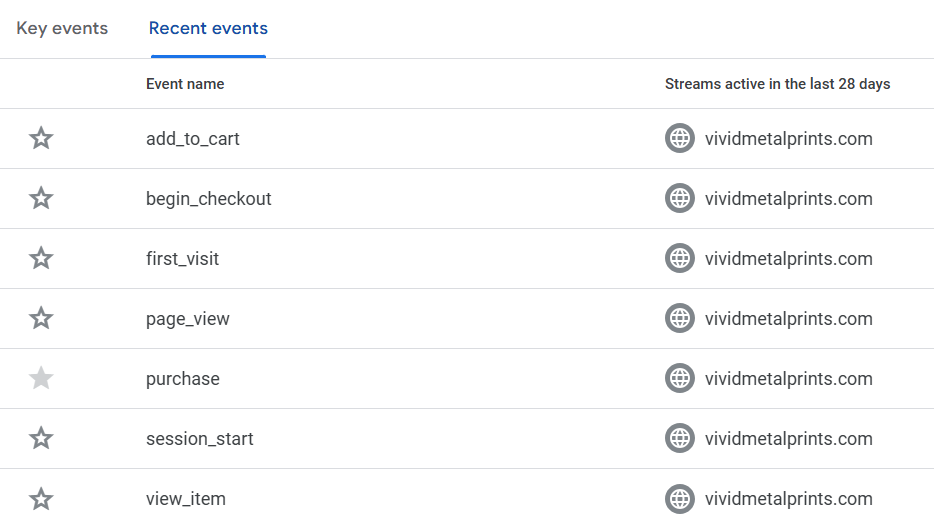
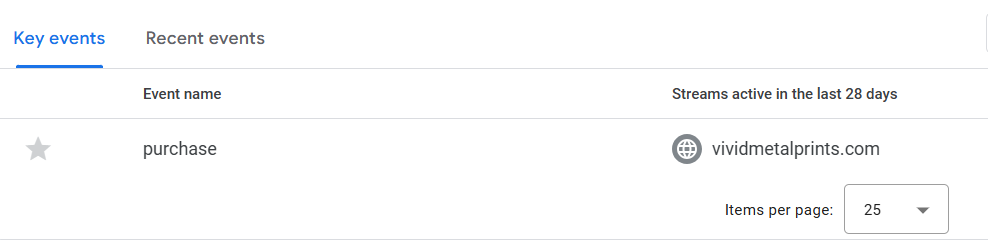
GA4 event tracking covered purchase measurement and supporting ecommerce behavior used for reporting, attribution and remarketing.
- page_view: page interaction measurement.
- view_item: product detail page measurement.
- add_to_cart: cart addition event.
- begin_checkout: checkout start event.
- purchase: completed order event.
- session_start and first_visit: standard session and visitor events.
How Was Meta CAPI Configured?
Meta CAPI was configured through server-side tagging so browser events and server events could be processed with deduplication support.
- PageView: page interaction tracking for Meta event matching.
- ViewContent: product view tracking for commerce campaigns.
- AddToCart: cart addition tracking through server-side routing.
- InitiateCheckout: checkout start tracking.
- Purchase: completed order tracking with server event processing.
How Was Purchase Tracking Validated?
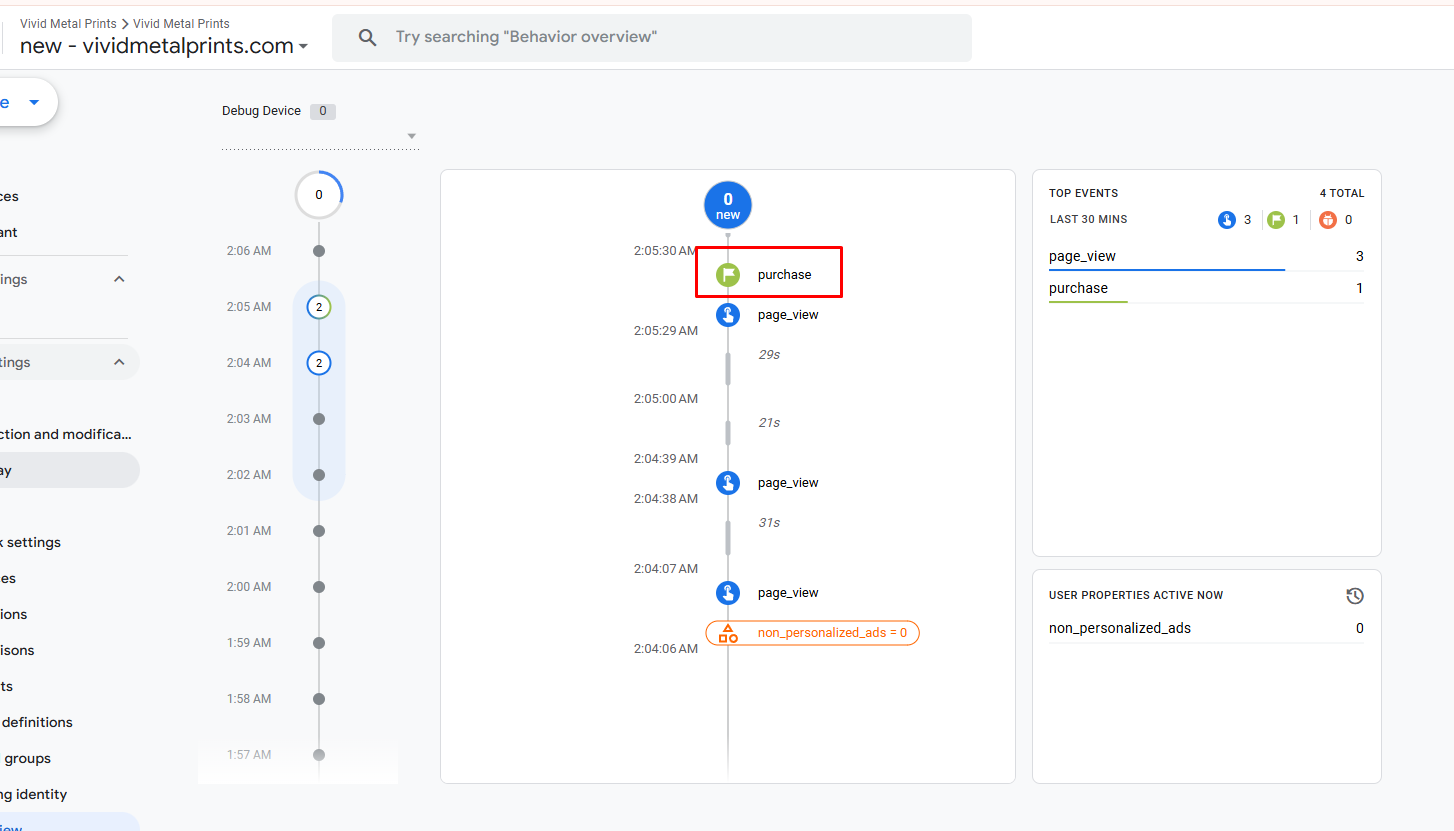
Purchase tracking was validated in GA4 DebugView and Meta Events Manager by confirming browser-side and server-side purchase signals during test activity.
Validation showed purchase events, page_view events, server processing and deduplication behavior for ecommerce conversion measurement.
What Data Collection Settings Were Configured?
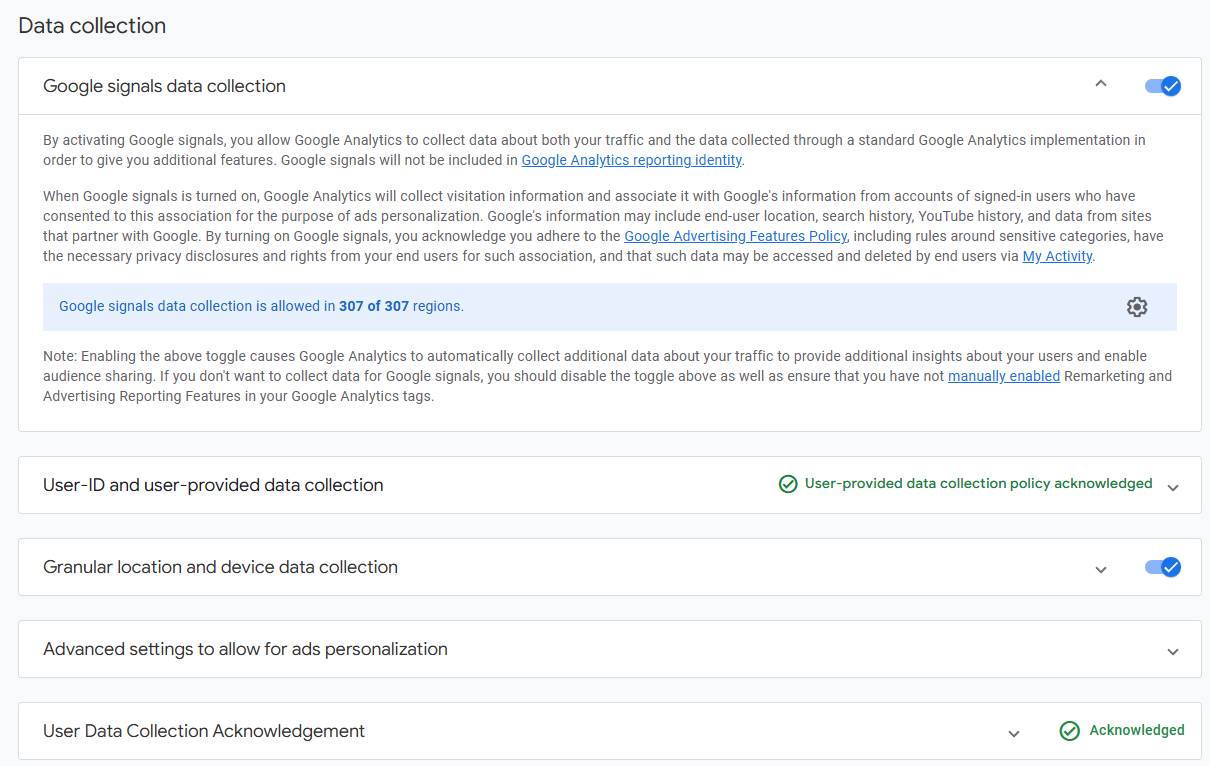
GA4 data collection settings were configured for audience creation, demographic reporting, device reporting and consent-aware user-provided data collection.
- Google Signals: enabled for eligible cross-device and demographic reporting.
- User-provided data collection: policy acknowledgement completed for enhanced measurement support.
- Granular location and device data: enabled for geographic and device reporting.
- Ads personalization settings: configured for remarketing and campaign audiences.
What Did The Tracking Implementation Deliver?
The implementation delivered Shopify server-side tracking, GA4 ecommerce measurement, Meta CAPI processing, purchase validation and first-party routing through Stape.io.
- Activated a Shopify customer-pixel data layer for ecommerce behavior collection.
- Configured web and server tag containers for controlled event routing.
- Connected Stape.io for first-party server-side tracking.
- Configured GA4 server-side tracking for ecommerce events.
- Configured Meta CAPI events for page view, product view, cart, checkout and purchase activity.
- Validated purchase events in GA4 DebugView and Meta Events Manager.
- Enabled GA4 data collection settings for audiences and reporting.