GA4 · Monster Gardens
Monster Gardens Shopify Tracking: GA4 and GTM
Shopify GA4 and GTM tracking with ecommerce events, checkout funnels, remarketing audiences and Microsoft Clarity.
Ecommerce events, checkout funnels, remarketing audiences and Clarity behavior tracking configured
USA
Monster Gardens
Ecommerce
Shopify
GA4 + GTM Tracking
Outcome
Ecommerce events, checkout funnels, remarketing audiences and Clarity behavior tracking configured
Deliverables
- Shopify ecommerce actions to GA4 via GTM
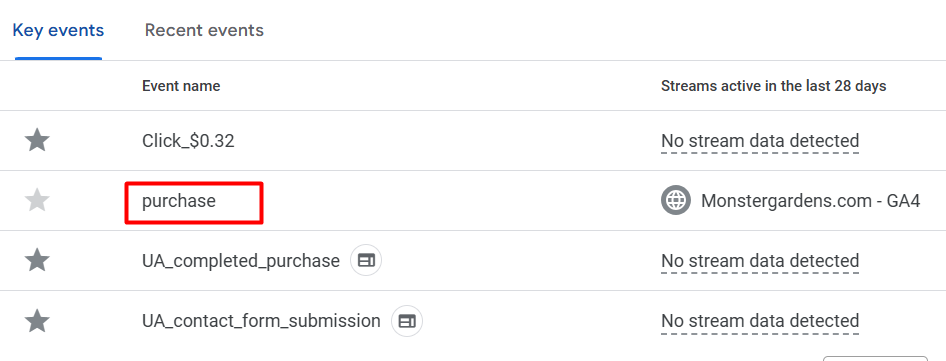
- Purchase as a GA4 key event for conversion measurement
- Purchase and checkout funnel reports
- Remarketing audiences for cart, checkout, purchase, geography and device behavior
- Google Signals, user-provided data settings and granular device reporting
What Tracking Problem Did Monster Gardens Have?
Monster Gardens required Shopify ecommerce tracking that connected product views, cart actions, checkout steps, purchase events and customer behavior signals to GA4 through Google Tag Manager.
The measurement setup needed to keep existing tags active while adding new ecommerce events, funnel reports, remarketing audiences and Microsoft Clarity behavior tracking.
What Tracking Setup Was Implemented?
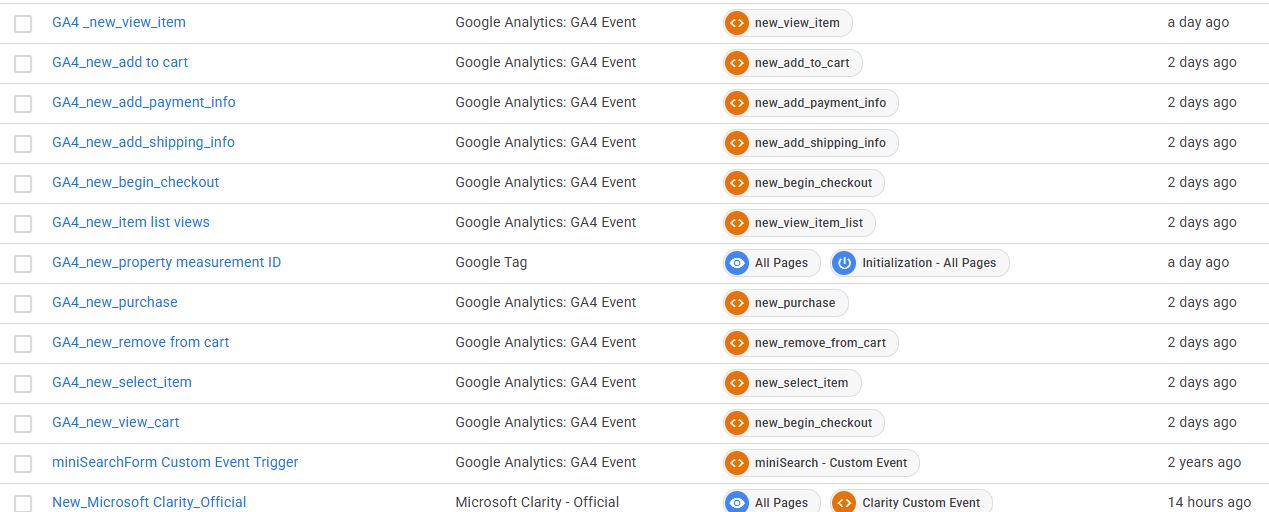
The setup connected Shopify to GA4 through GTM with separate tags, triggers and data layer events for each tracked action across the ecommerce journey.
New GA4 event tags were deployed alongside existing tracking. Microsoft Clarity was added through the tag container to support heatmap and session recording analysis.
Which Ecommerce Events Were Configured?
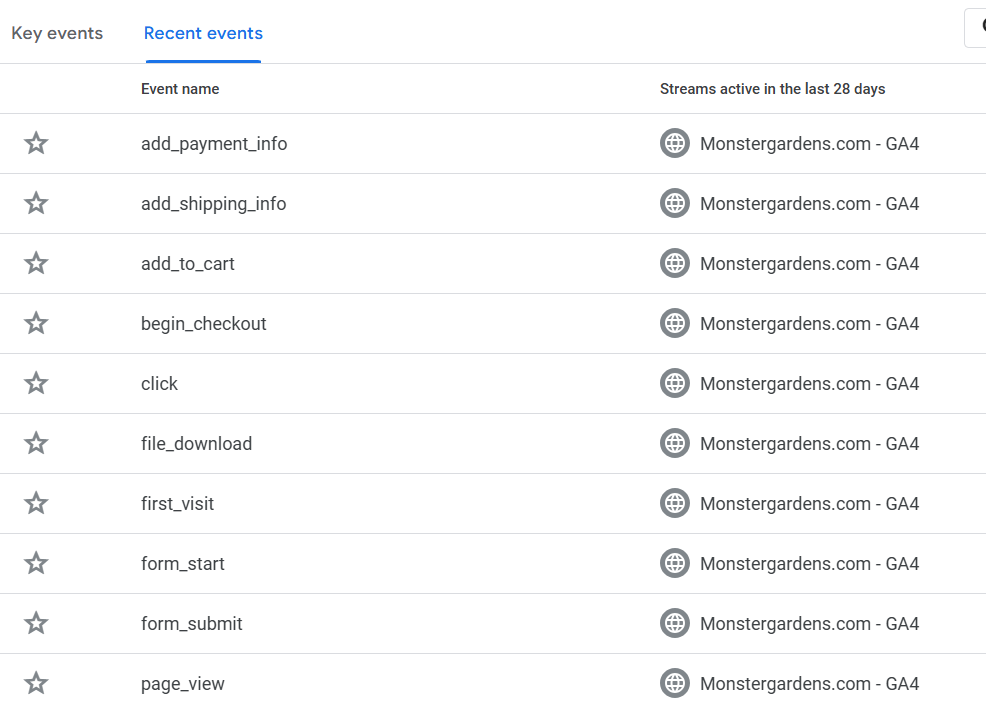
Event tracking covered product discovery, product selection, cart changes, checkout progression, purchase completion, file downloads and form interactions.
- view_item: product detail page measurement.
- view_item_list: product list view tracking.
- select_item: product selection event.
- view_cart: cart view measurement.
- add_to_cart: cart addition event.
- remove_from_cart: cart removal event.
- begin_checkout: checkout start event.
- add_shipping_info: shipping step completion.
- add_payment_info: payment step completion.
- purchase: completed order event.
- form_start and form_submit: form interaction tracking.
- file_download and click: supporting engagement measurement.
How Were Purchase And Checkout Funnels Configured?
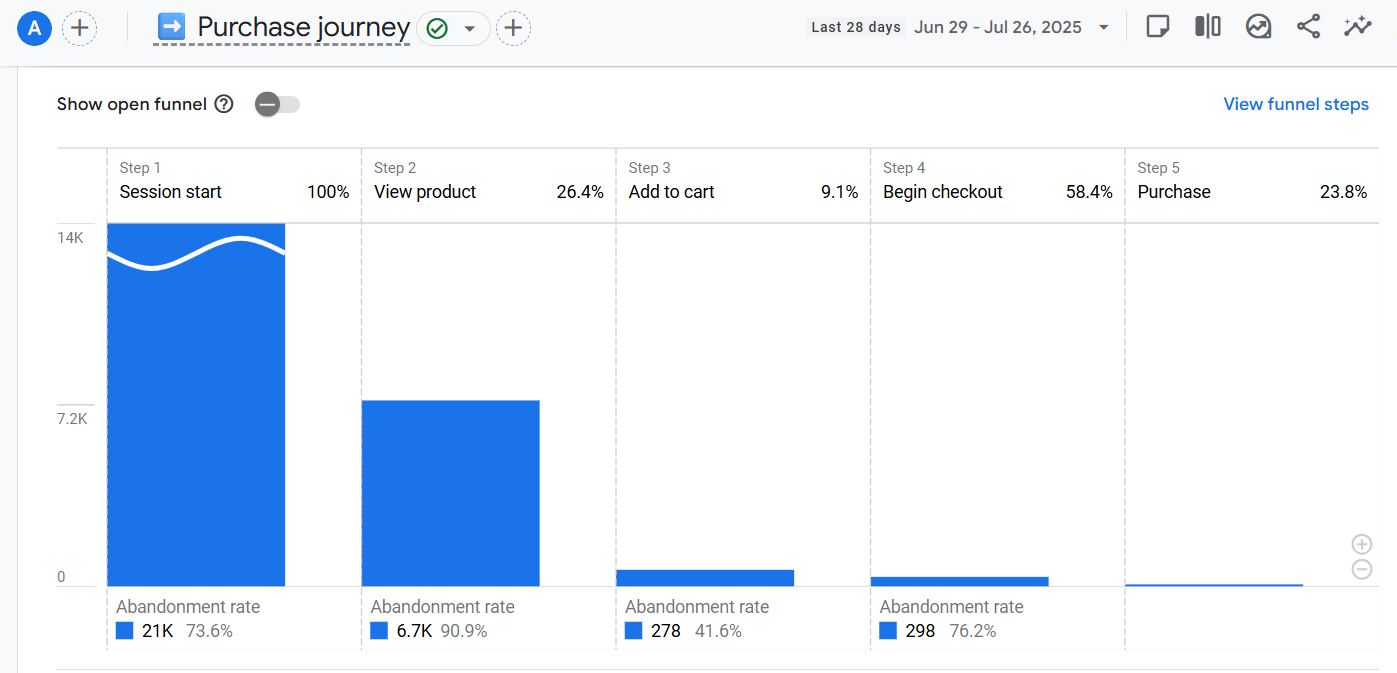
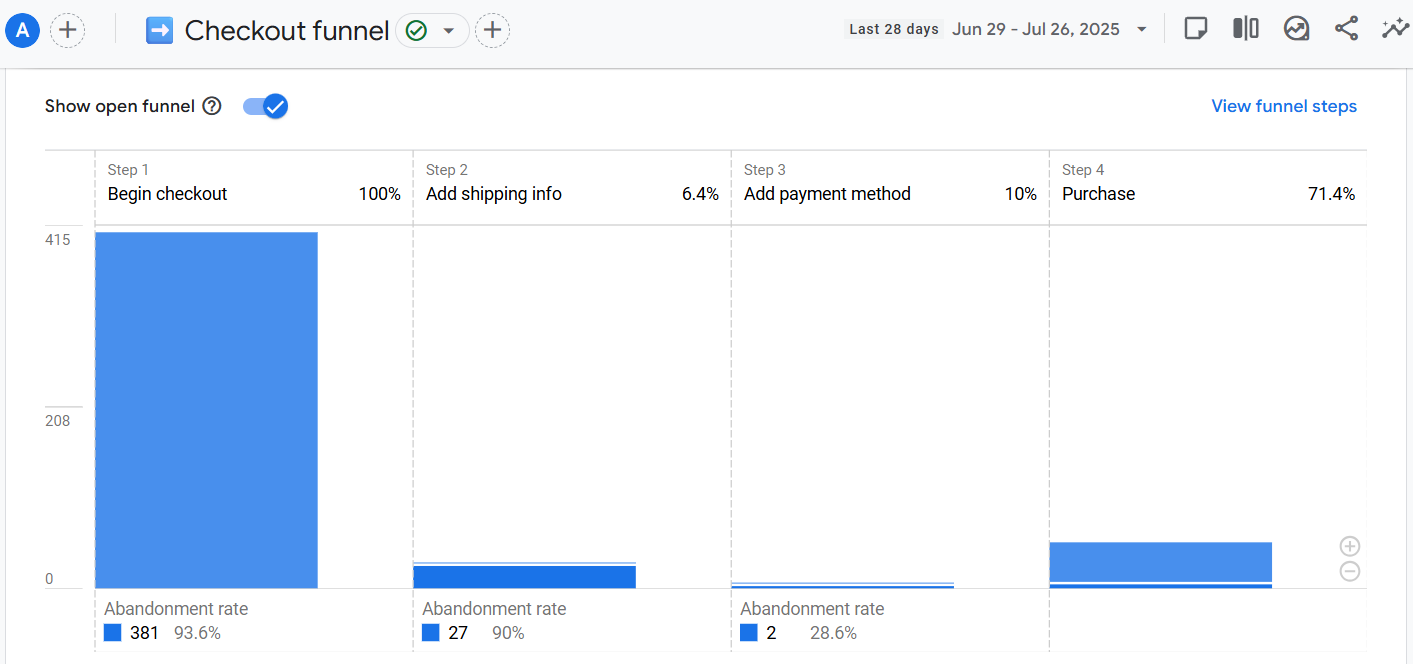
GA4 funnel explorations were configured to show progression from session start to product view, cart addition, checkout start and purchase completion.
- Purchase journey: session start, view product, add to cart, begin checkout and purchase.
- Checkout funnel: begin checkout, add shipping info, add payment method and purchase.
- Open funnel mode: enabled where useful for checkout path analysis.
- Abandonment reporting: configured to show drop-off at each conversion step.
How Was Purchase Tracking Validated?
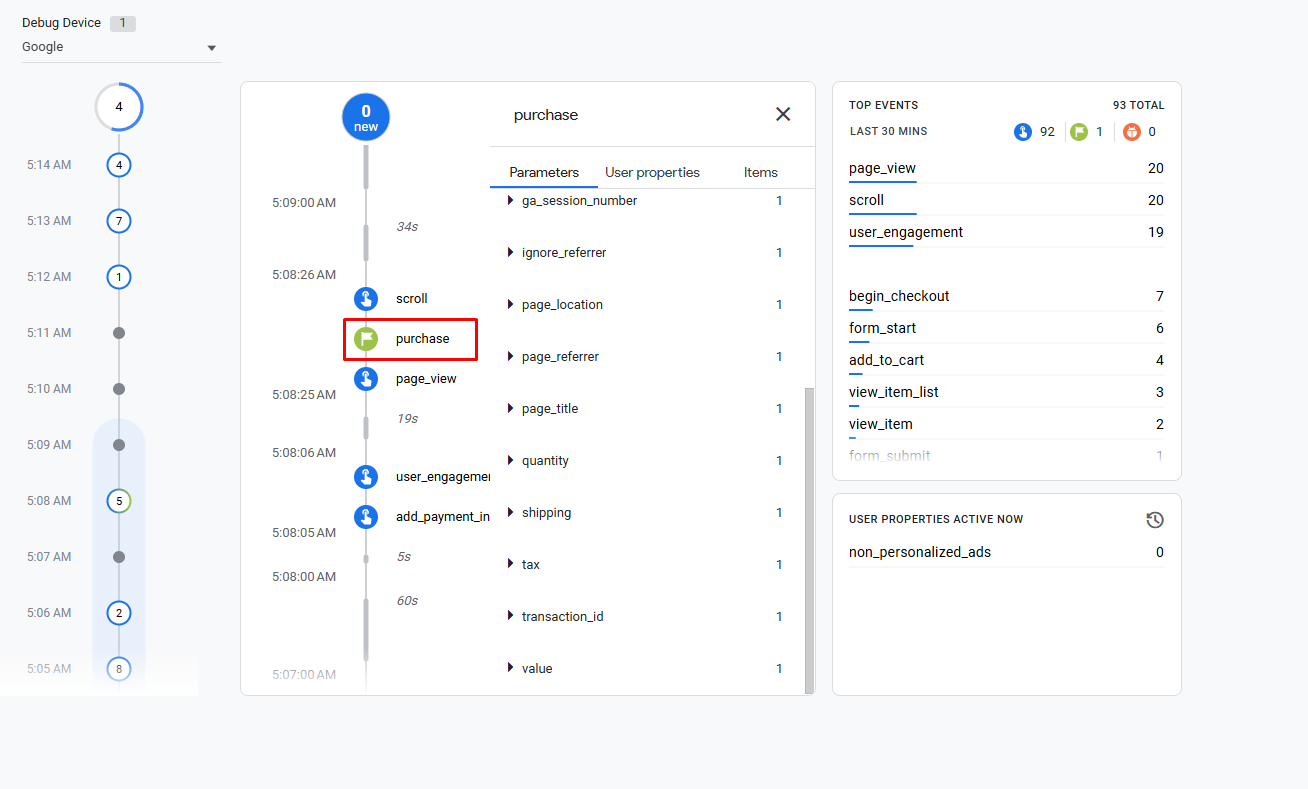
Purchase tracking was validated in GA4 DebugView by confirming the purchase event, checkout events and ecommerce parameters during a test session.
The validation window showed page_view, scroll, user_engagement, begin_checkout, form_start, add_to_cart, view_item_list, view_item and form_submit activity.
What Remarketing Audiences Were Created?
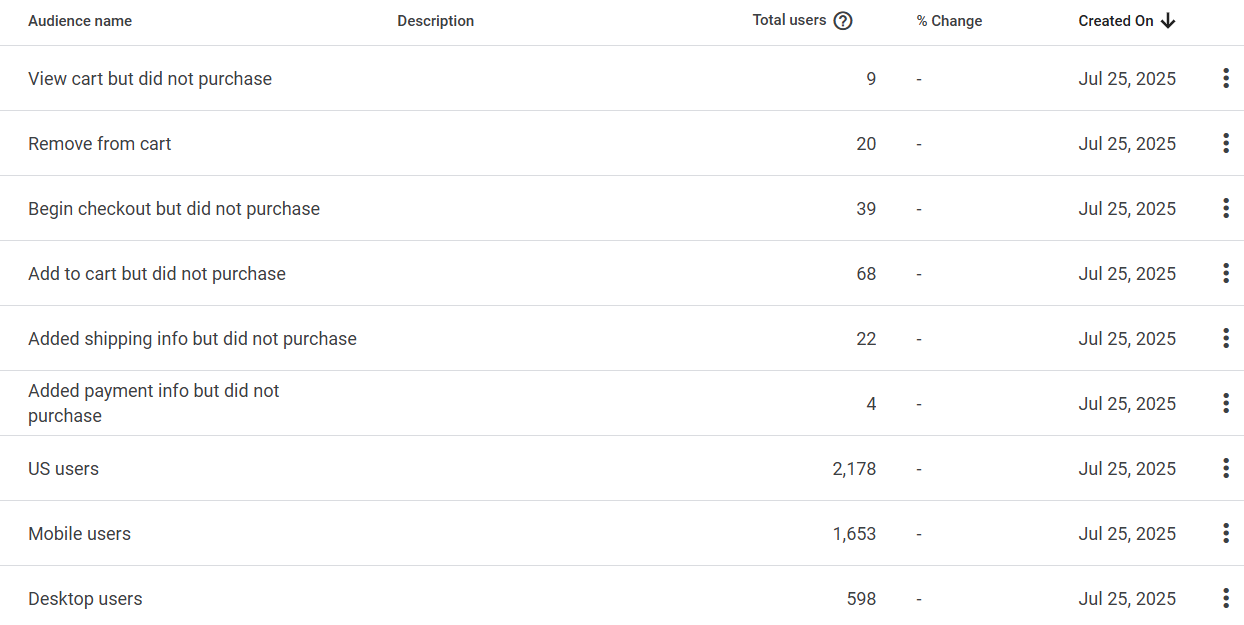
GA4 audiences were created for remarketing and behavior segmentation based on cart activity, checkout progress, purchase status, geography and device type.
- View cart but did not purchase: users who reached cart view without a completed order.
- Remove from cart: users who removed products from the cart.
- Begin checkout but did not purchase: users who started checkout without completing purchase.
- Add to cart but did not purchase: users with cart addition activity but no purchase.
- Added shipping info but did not purchase: users who reached the shipping step without purchase completion.
- Added payment info but did not purchase: users who reached payment entry without purchase completion.
- US users, mobile users and desktop users: audience segments for campaign and device analysis.
What Data Collection Settings Were Configured?
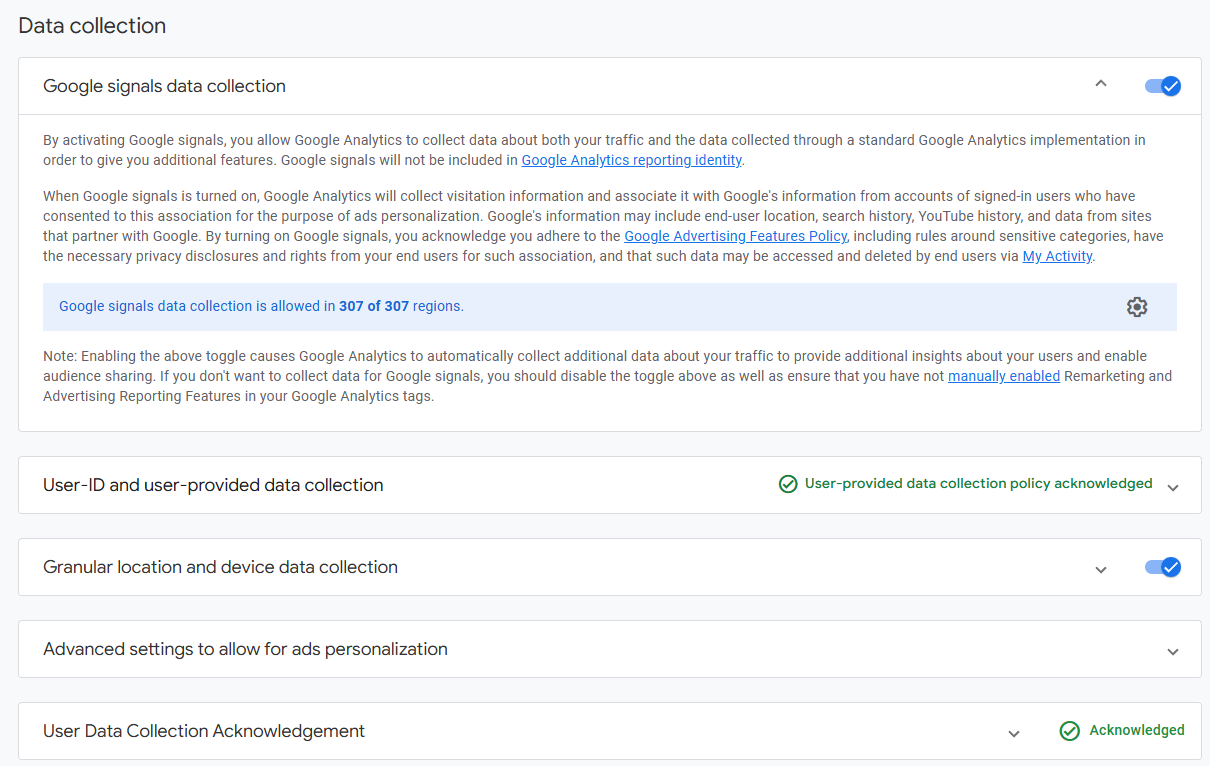
GA4 data collection settings were configured for audience creation, demographic reporting, device reporting and consent-aware user-provided data collection.
- Google Signals: enabled for eligible cross-device and demographic reporting.
- User-provided data collection: policy acknowledgement completed for enhanced measurement support.
- Granular location and device data: enabled for geographic and device reporting.
- Ads personalization settings: configured for remarketing audience use.
What Additional Analytics Tool Was Connected?
Microsoft Clarity was connected through GTM to add heatmap and session recording analysis alongside GA4 ecommerce reporting.
Clarity adds click, scroll and recording data that helps review checkout friction, product-list interaction and mobile browsing behavior.
What Did The Tracking Implementation Deliver?
The implementation delivered Shopify ecommerce measurement, GA4 purchase tracking, checkout funnel visibility, remarketing audience support and Microsoft Clarity behavior analysis.
- Connected Shopify ecommerce actions to GA4 through Google Tag Manager.
- Configured purchase as a GA4 key event for conversion measurement.
- Built purchase and checkout funnel reports for ecommerce analysis.
- Created remarketing audiences for cart, checkout, purchase, geography and device behavior.
- Enabled Google Signals, user-provided data settings and granular device reporting.
- Integrated Microsoft Clarity for heatmap and session recording review.